In This Guide:
Related Guides:
Access and Administration
Lead Notification Settings - Digital Retail Services
Once subscribed to RouteOne Digital Retail Services, your Dealer System Administrator (DSA) can set your dealership’s email notifications for the Online Credit Application (OCA) and for the Lead Capture Form.
To set lead notifications, your dealership must be subscribed to Digital Retail Services. More information on subscribing to Digital Retail Services can be found here.
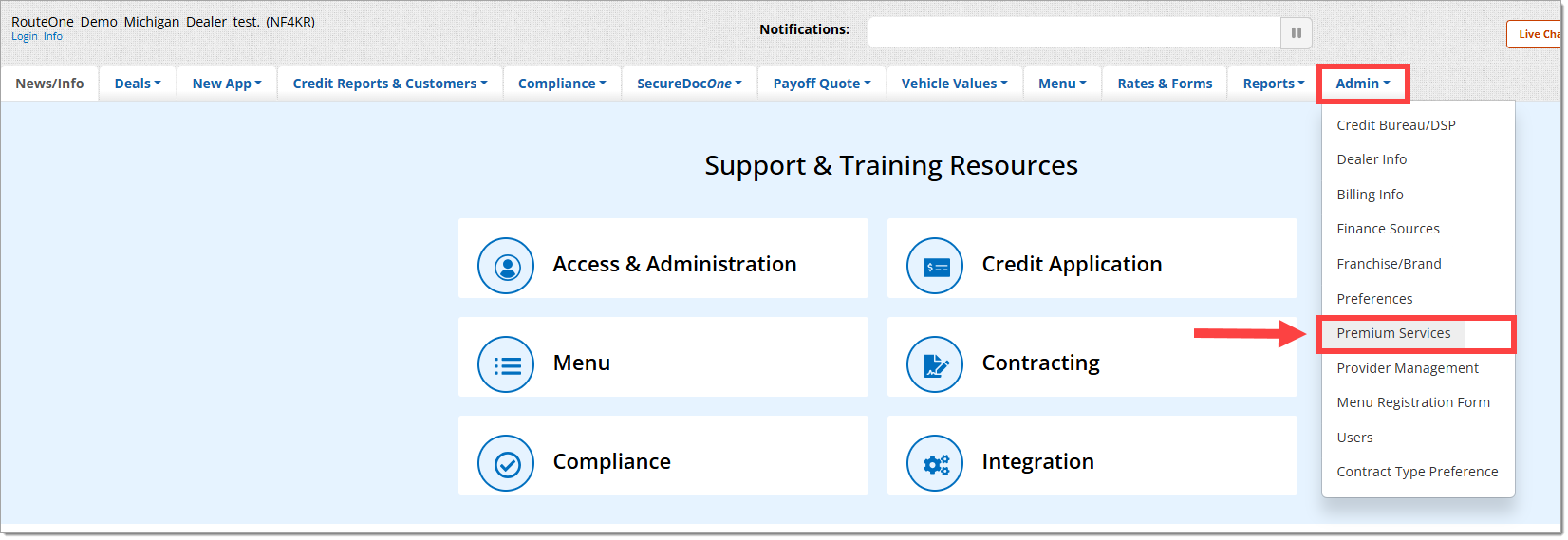
Hover over the ‘Admin’ tab from the top navigation and select ‘Premium Services’ from the drop-down menu.
To view this page in the RouteOne system, you must be a Dealer System Administrator (DSA). To locate the DSA for your dealership, click here to visit the Locating DSAs, User IDs & Dealer IDs guide.
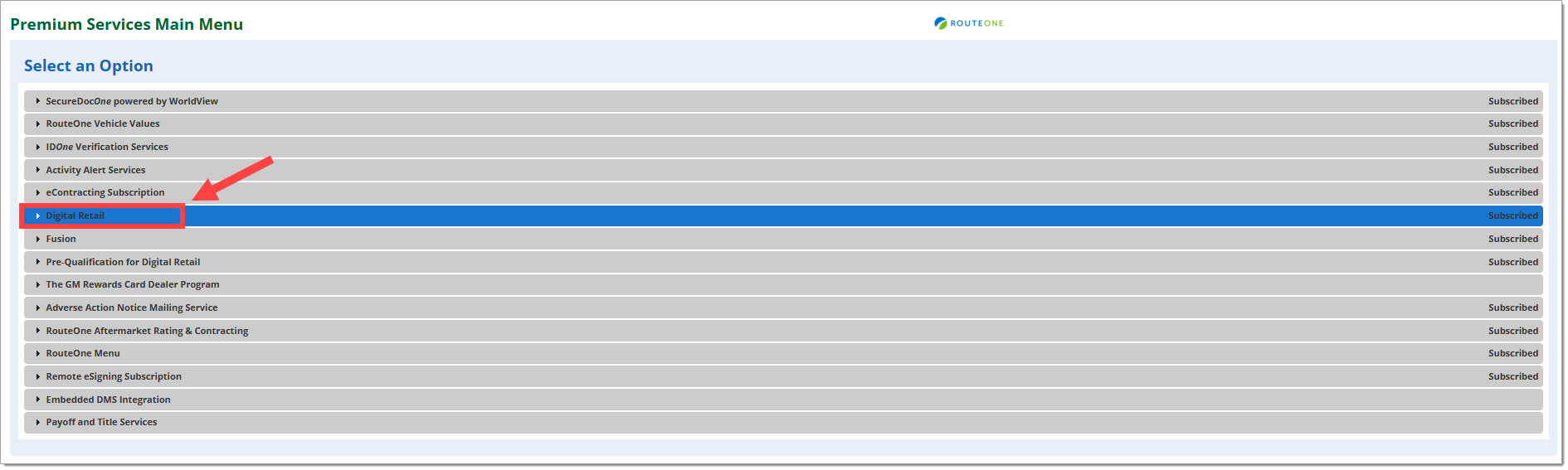
Click on ‘Digital Retail’ to expand the section.
Scroll down to the the ‘Online Credit Application Configuration’ section.
Click on the ‘Email Notifications’ button.

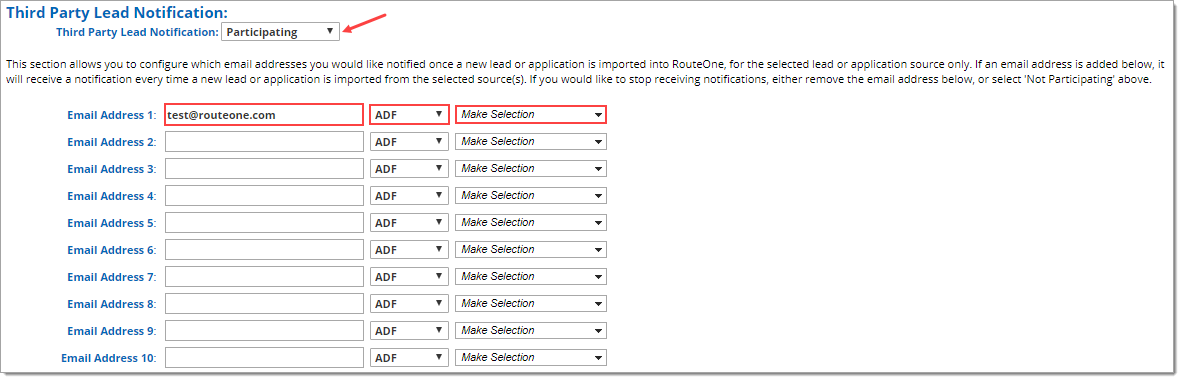
Within the ‘Third Party Lead Notification’ section, choose the ‘Participating’ option from the dropdown menu.
You can also access the ‘Third Party Notification’ section by clicking ‘Admin’ from the top navigation, selecting ‘Preferences,’ and scrolling down to the 'Third Party Notification' section.
Add the email addresses you wish to notify when leads are created. You can add up to ten email addresses to receive notifications.
For each email address, select the preferred email type (Plain Text or ADF), and select the online credit application source(s).
In order to receive lead notifications for both Mobile Point of Sale and Digital Retail, both options must be checked in the dropdown menu.
Click the ‘Save Information’ button at the bottom of the page.
An email notification will be sent each time an applicant submits an online credit application or a silent lead has been created.
ROUTEONE SUPPORT
Hours (EST)
Monday - Friday: 6:00am – Midnight
Saturday: 9am – 9pm
Can’t find what you need?
Try our search
