In This Guide:
Related Guides:
Access and Administration
Subscribing - Digital Retail Services
Subscribing to Digital Retail Services
RouteOne’s Digital Retail Services is a suite of products designed to assist dealerships with generating, managing, and tracking customer leads and online credit applications to help you broaden the reach of your credit application pipeline.
With a modern interface and responsive layout, Digital Retail incorporates dealership web site leads directly into the RouteOne platform and allows customers to submit applications for credit online anytime, anywhere, on any device: laptop, desktop, tablet, and/or mobile– saving them time and allowing you a quicker, easier, and more efficient way to manage potential contracts.
There are three levels of product available for dealers: Basic, Standard, and Premium.
Digital Retail Services Basic provides dealers:
- Embedded online credit applications
- Responsive design
- Customizable branding, including logo and color selection
- Choice of optional / required fields
- Mobile Point of Sale Application
- Privacy Notice
Digital Retail Services Standard provides dealers:
- All the features of Basic, plus…
- Embedded business application
- Lead capture functionality
- Web analytics
- Embedded video to guide customers through the process
- Multi-lingual functionality (English, French, Spanish)
Digital Retail Services Premium provides dealers:
- All the features of Basic and Standard, plus…
- Automated compliance functionality including Credit Score Disclosure Notices and identity verification*
- Fusion support
- Pre-Qualification support
Subscribing to Digital Retail Services
Your Dealer System Administrator (DSA) can subscribe to RouteOne’s Digital Retail Services.
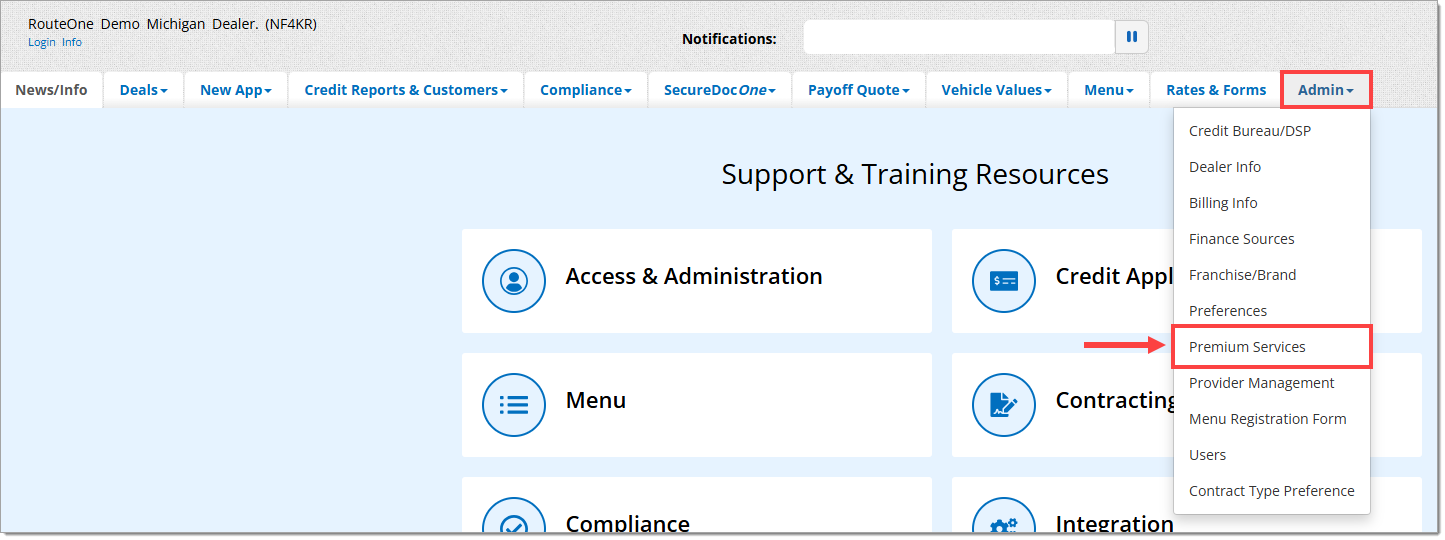
Hover over the ‘Admin’ tab from the top navigation and select ‘Premium Services.’
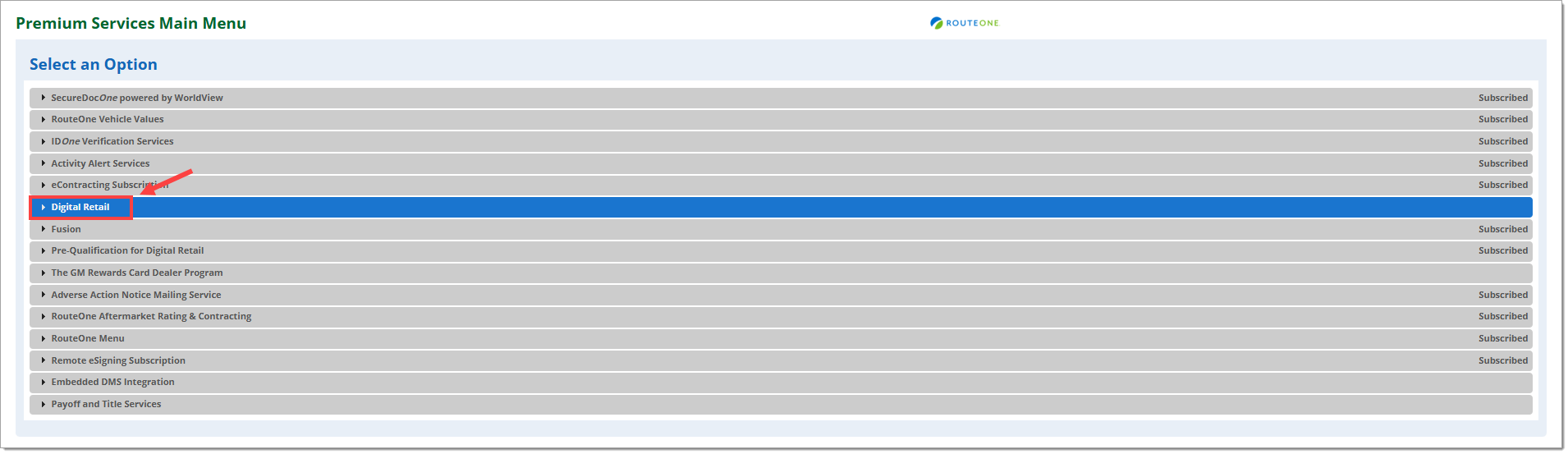
Click on ‘Digital Retail’ to expand the section.
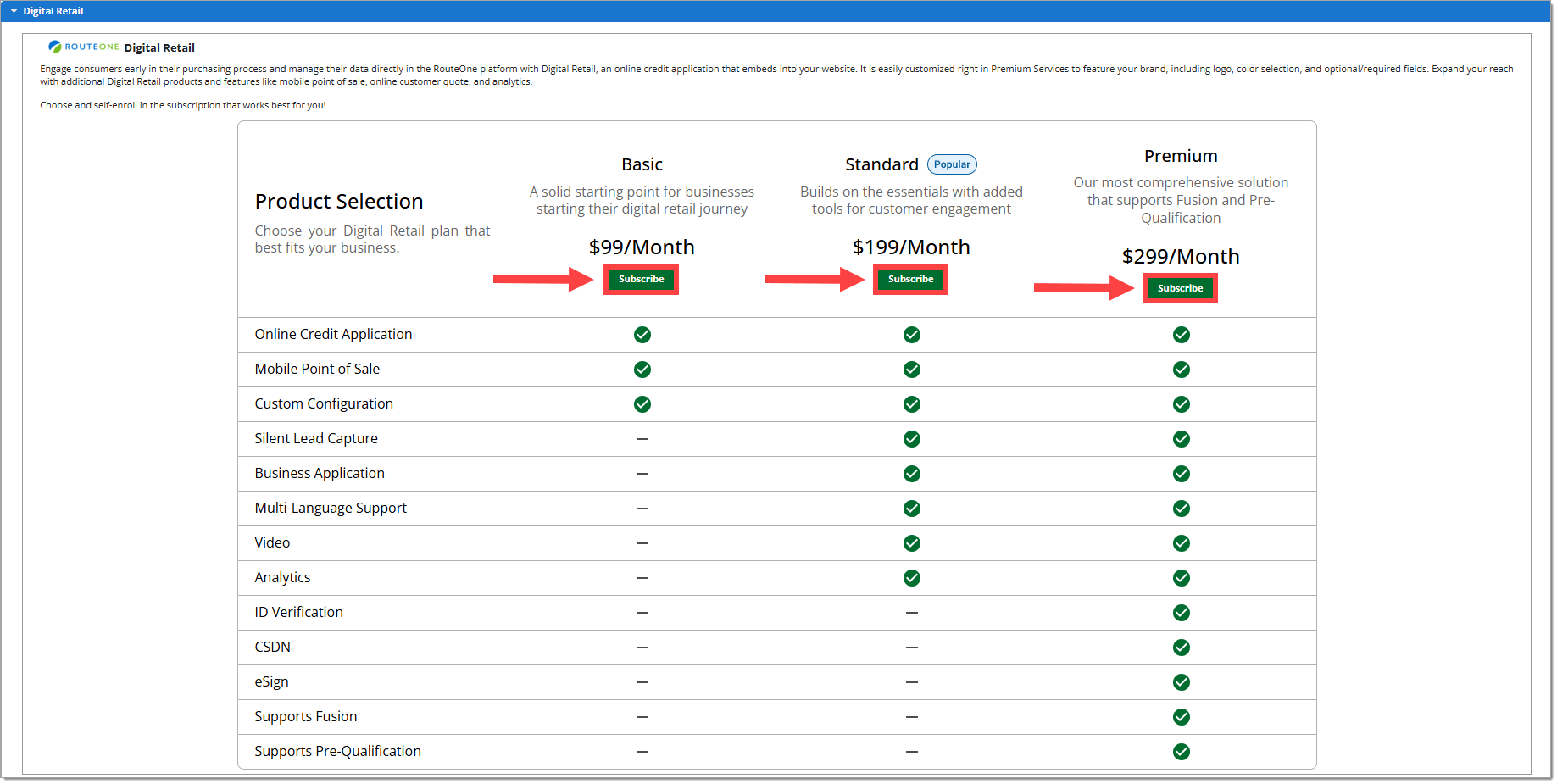
You will be presented with three options: Basic, Standard, and Premium.
Select your preferred subscription level by clicking the ’Subscribe’ button for the desired level of functionality.
Your dealership will be billed for your subscription based on the payment method listed on the Billing Information page. For more information, click here to visit the Billing Information guide.
To complete your subscription, you will be asked to review and accept the Dealer Participation Agreement. Check the box to accept the Dealer Participation Agreement and click ‘Submit.’
You will be navigated back to the Digital Retail Services section on Premium Services.
The section will update to show your new subscription status, your new product URL(s) and instructions on how to set up your new product.
Changing your Subscription Level
Dealers who have active subscriptions may modify their subscription level at any time.
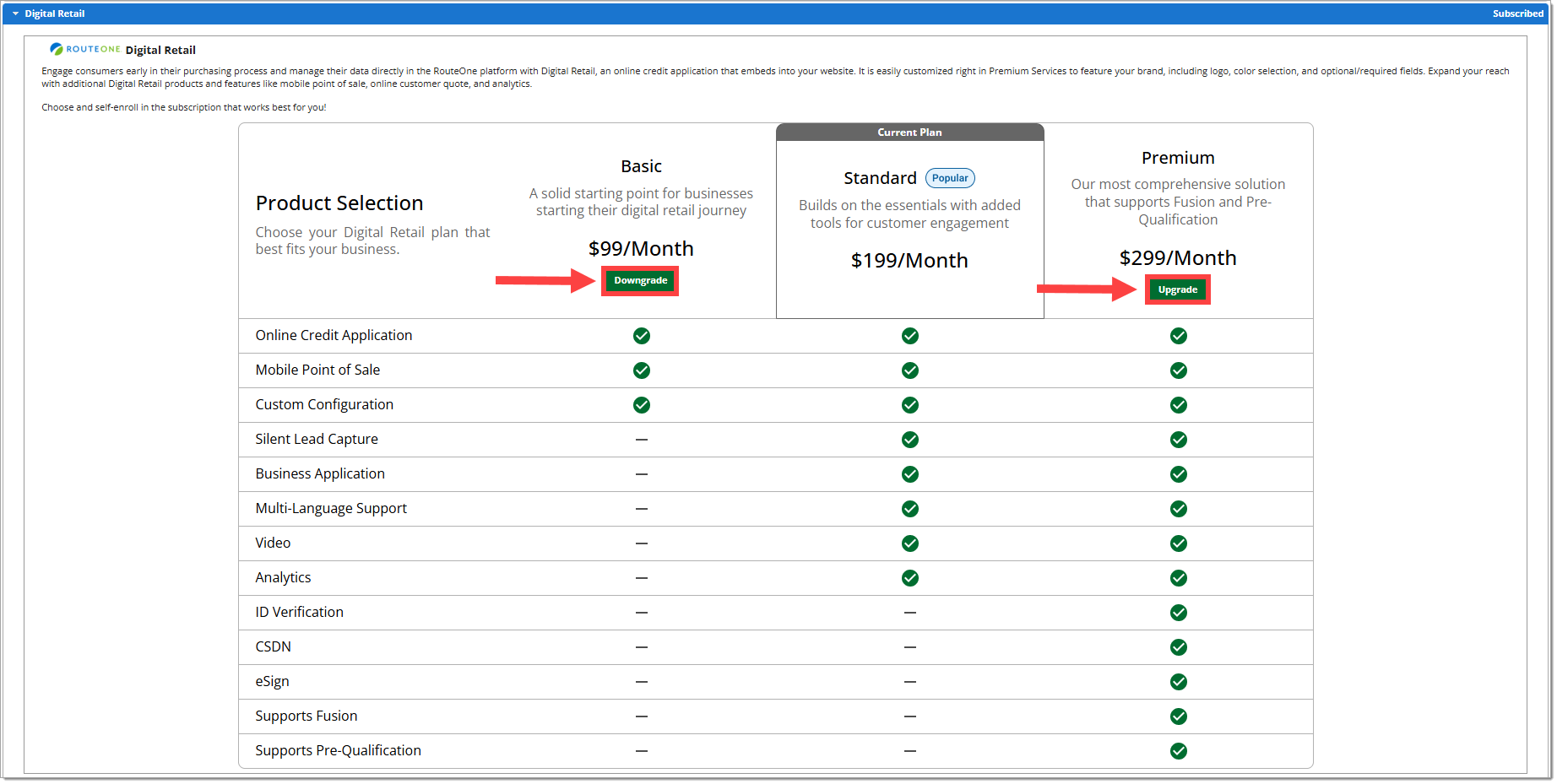
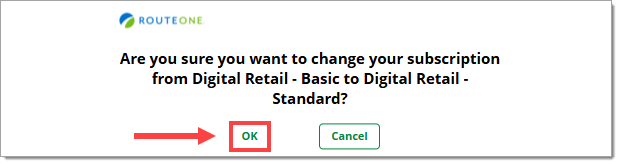
To change your subscription level, navigate to the Digital Retail section of the Premium Services page. Click on the ‘Upgrade’ or ‘Downgrade’ button for your new desired subscription level.
A confirmation pop-up will appear. Click ‘OK’ to proceed.
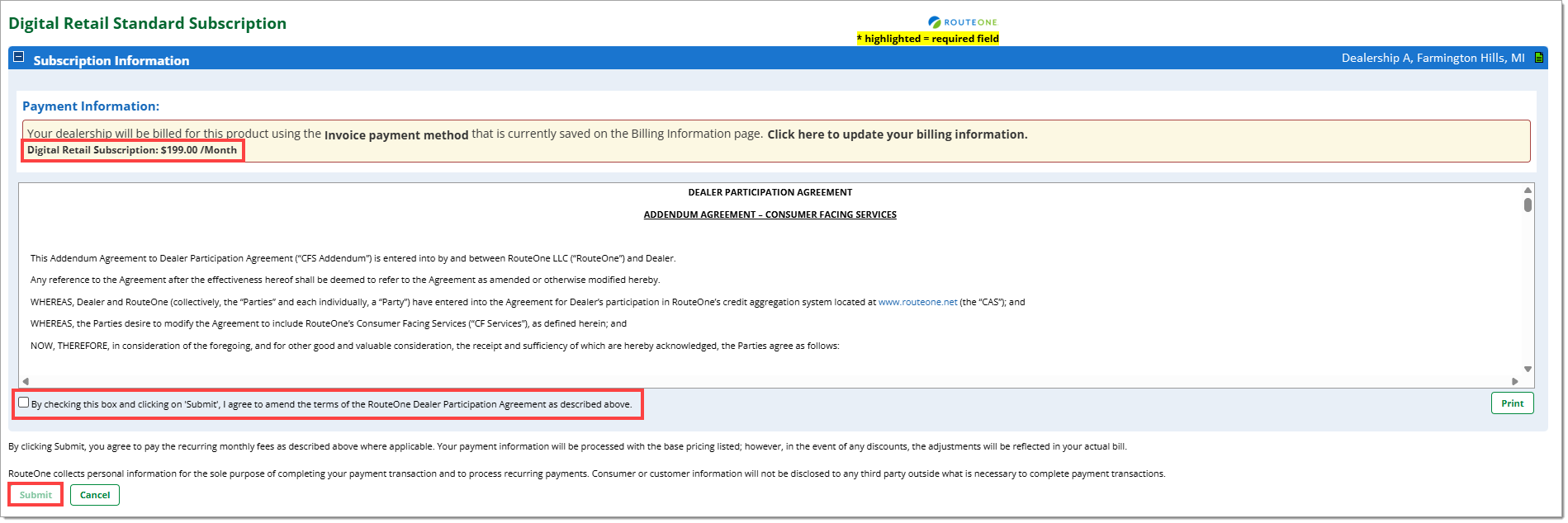
You will be asked to review the new subscription price and the Dealer Participation Agreement. Click on the checkbox to acknowledge the new price and Dealer Participation Agreement, then click ‘Submit’ to finalize your change in subscription level.
Once complete, you will be returned to the Premium Services page, with the updated subscription level now shown.
Unsubscribing from Digital Retail Services
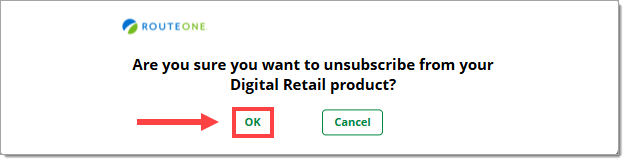
To completely unsubscribe from Digital Retail, navigate to the Digital Retail section of the Premium Services page and click the ‘Unsubscribe’ button.

A confirmation pop-up will appear. Click ‘OK’ to finalize your decision to unsubscribe.
ROUTEONE SUPPORT
Hours (EST)
Monday - Friday: 6:00am – Midnight
Saturday: 9am – 9pm
Can’t find what you need?
Try our search
