Related Guides:
Access and Administration
Customizing the Lead Capture Form - Digital Retail Services
The Lead Capture Form is offered through RouteOne’s Digital Retail Services, and has limited requirements (name, email, phone number) for the consumer to submit their information.
This guide details how to customize your Lead Capture Form.
More information about installing the Lead Capture Form can be found here.
By comparison, the Consumer Facing Credit Application offered through RouteOne’s Digital Retail Services requires all necessary fields for the consumer to submit a full contract. For more information, visit the resources on Installing the Consumer Facing Credit Application and Customizing the Consumer Facing Credit Application.
Hover over the ‘Admin’ tab from the top navigation and select ‘Other Services’ from the drop-down menu.
To view this page in the RouteOne system, you must be a Dealer System Administrator (DSA). To locate the DSA for your dealership, visit the Using My RouteOne user guide.
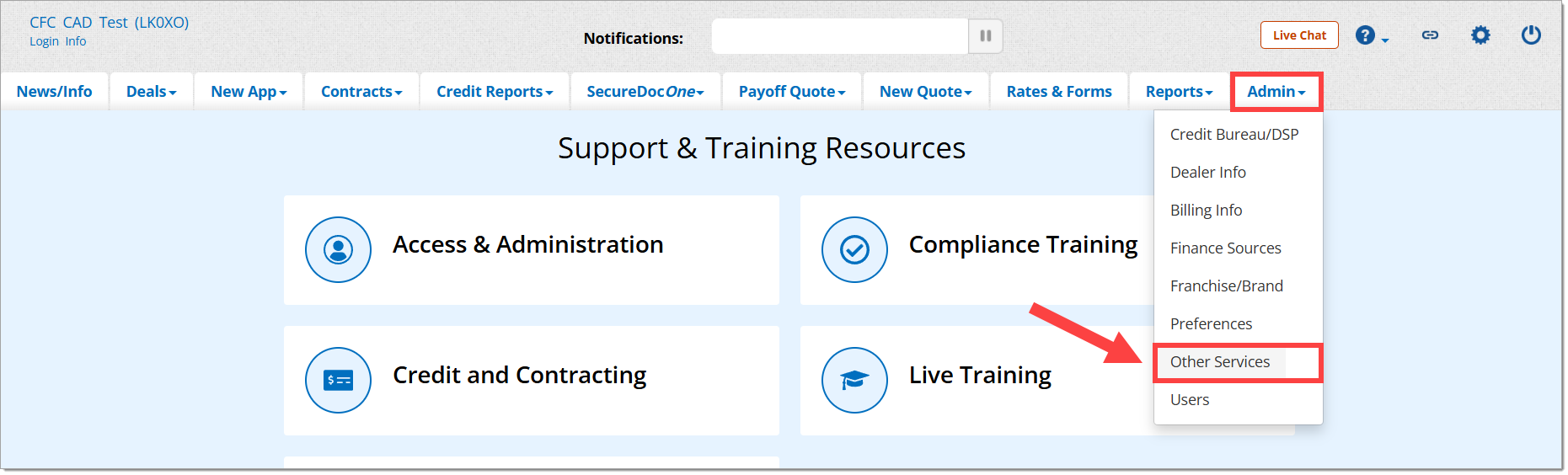
Then click on ‘Digital Retail’ to expand the section.

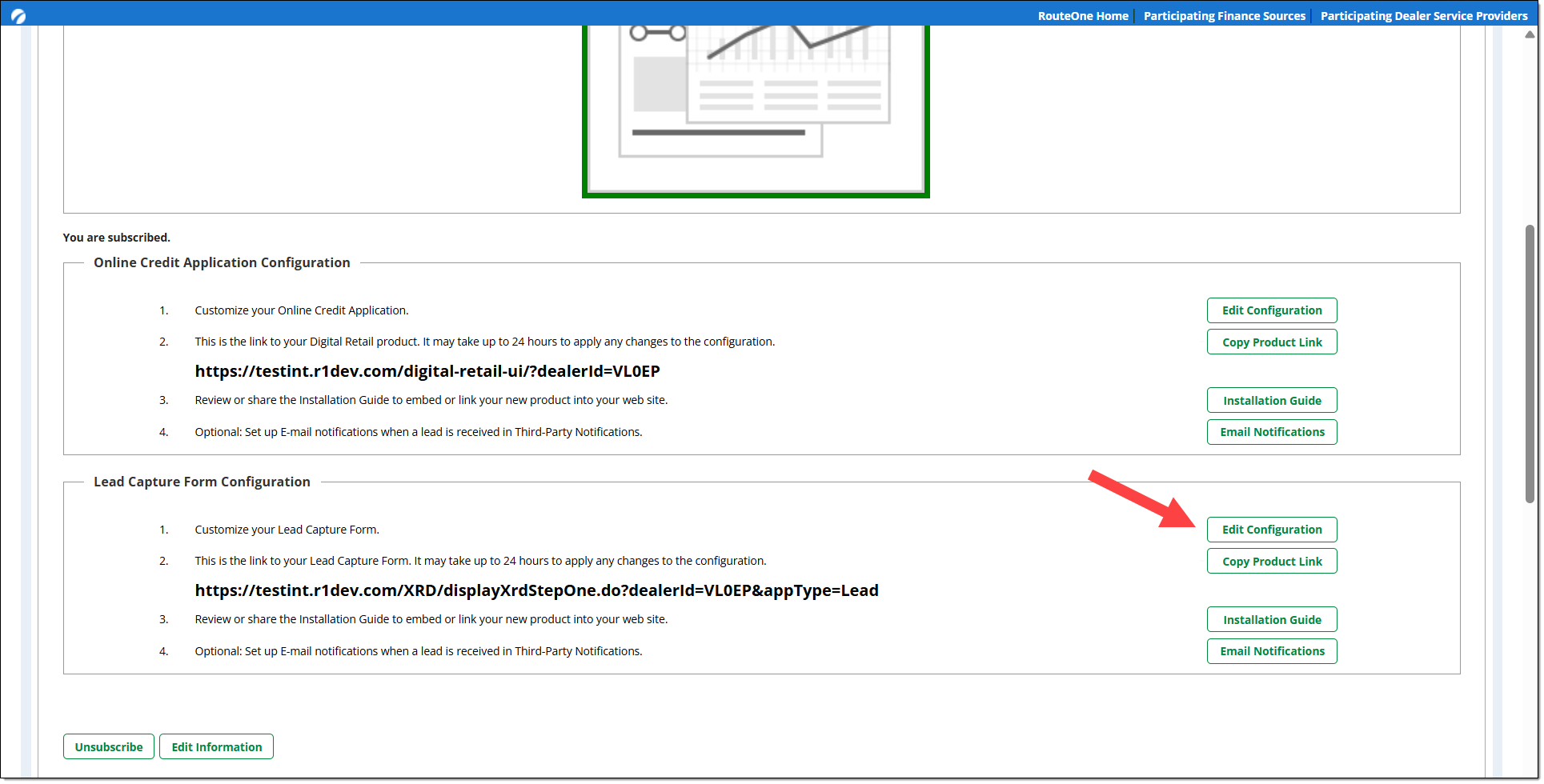
Scroll down to the ‘Online Credit Application Configuration’ section and click on the ‘Edit Configuration’ button.
Form Options
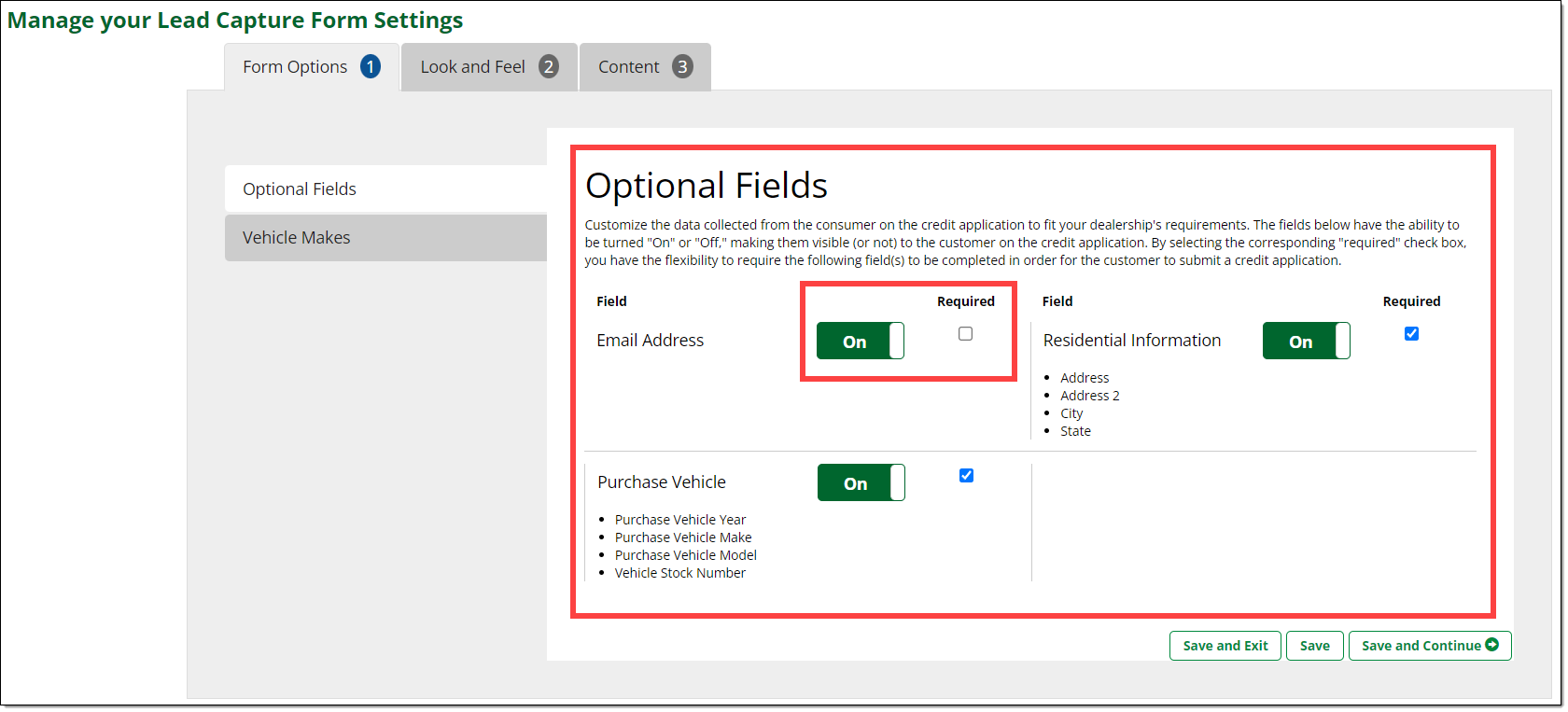
The Form Options tab is where you can configure optional fields and vehicle makes that will be included in your Lead Capture Form.
Optional Fields
You can customize the data collected from the applicant on the Lead Capture Form to fit your dealership's requirements. The Email Address, Purchase Vehicle, and Residential Information fields can each be toggled On/Off.
Each can also be set as required for completion for the applicant to submit the Lead Capture Form.
To apply your changes, click ‘Save and Exit,’ ‘Save,’ or ‘Save and Continue.’
You can ‘Save and Exit,’ ‘Save,’ or ‘Save and Continue’ in any of the sections as you progress through the different customization sections.
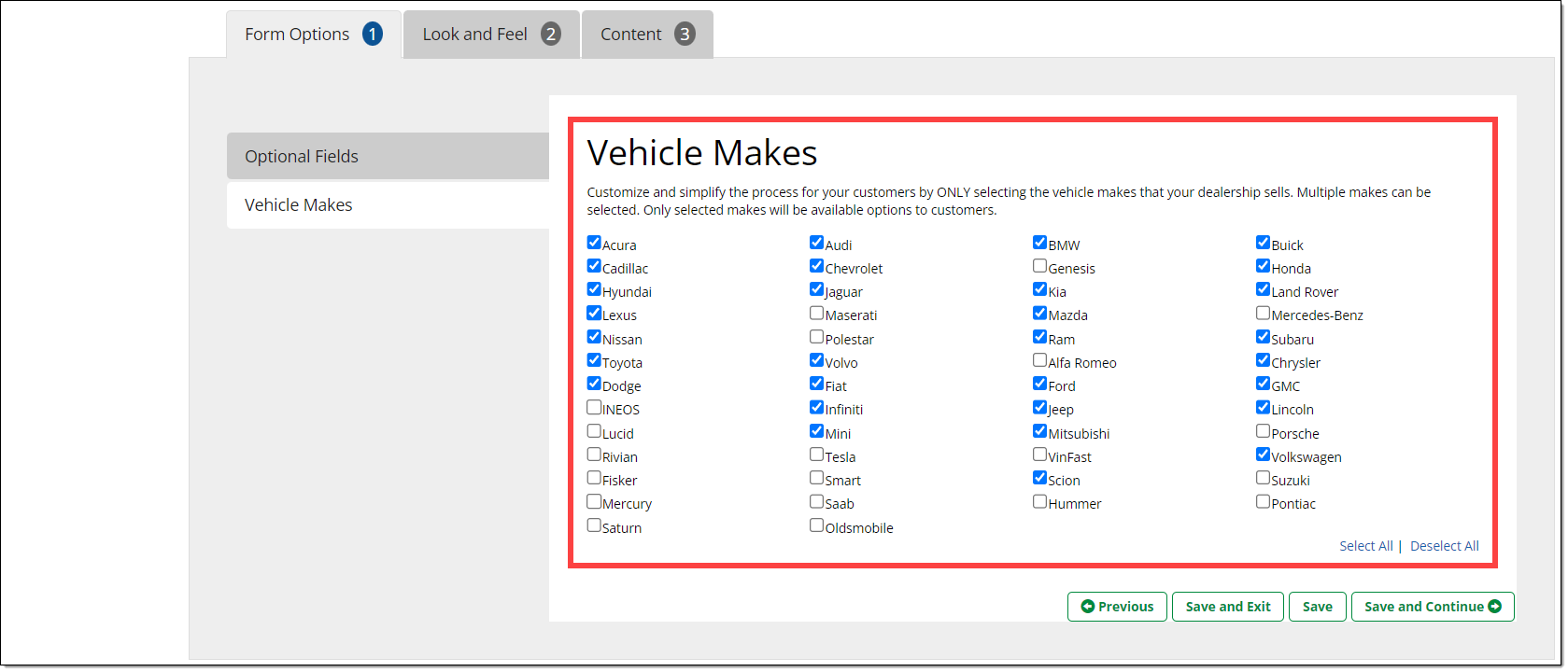
Vehicle Makes
You can customize and select the vehicles make(s) that are available in your dealership. The options selected here are shown to applicants as options on the Lead Capture Form.
Look and Feel
The Look and Feel tab is where you can customize the appearance of your Lead Capture Form, including your logo, font, and color, to align with your branding and design.
Logo
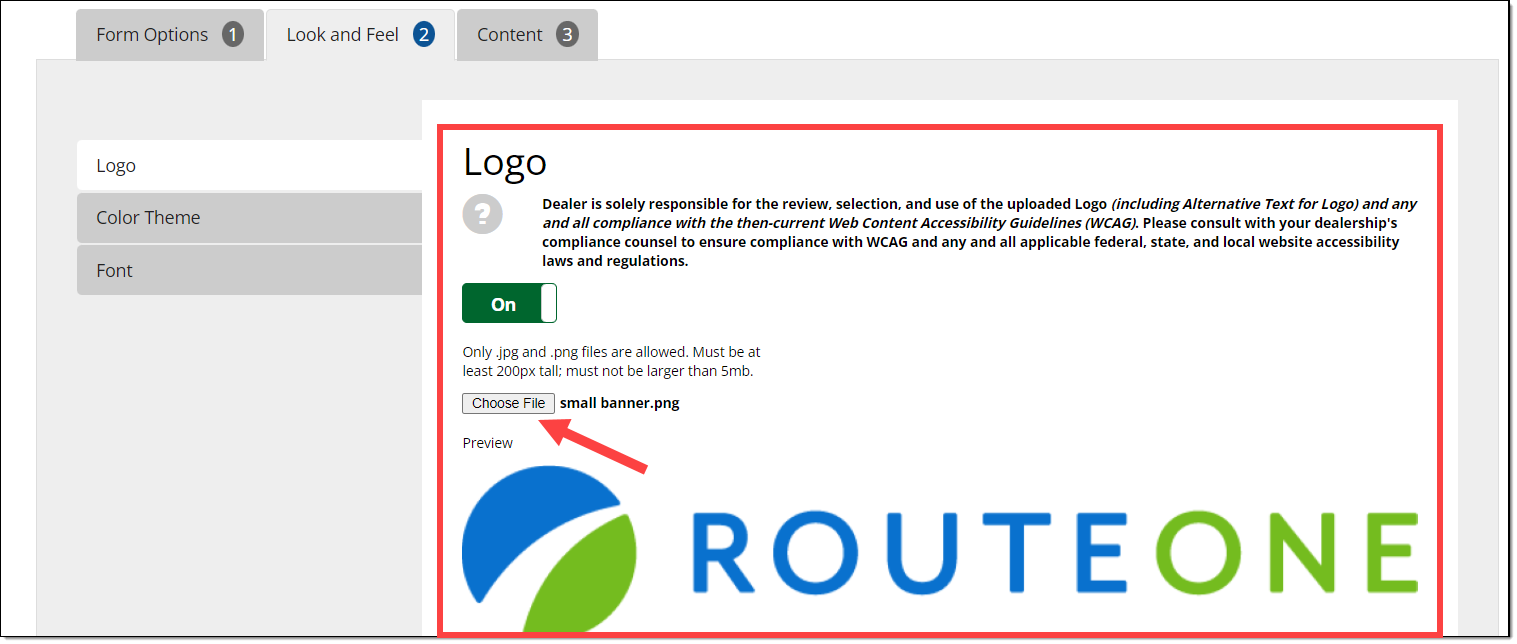
You can upload your logo. It will appear at the top of your Lead Capture Form page.
Clicking ‘Choose File’ will direct you to upload your logo from your files.
Logo requirements:
- The logo option must be toggled 'On' in this section for it to be displayed.
- Only .jpg and .png file formats can be uploaded.
- Files must be at least 200px tall.
- Files cannot be larger than 5mb.
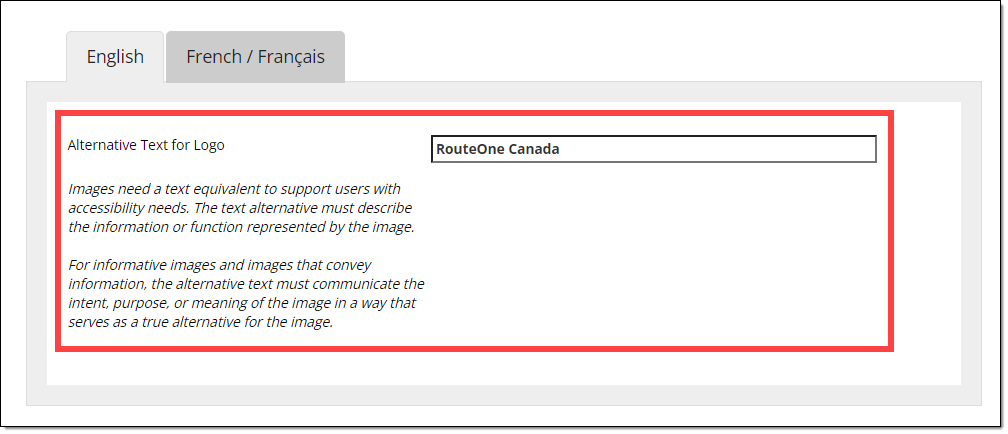
When adding your logo, you will also be able to add Alternative Text, which will allow users with accessibility needs to use a text equivalent of the image. The text alternative must describe the information or function represented by the image. Both English and French options are available to configure.
Color Theme
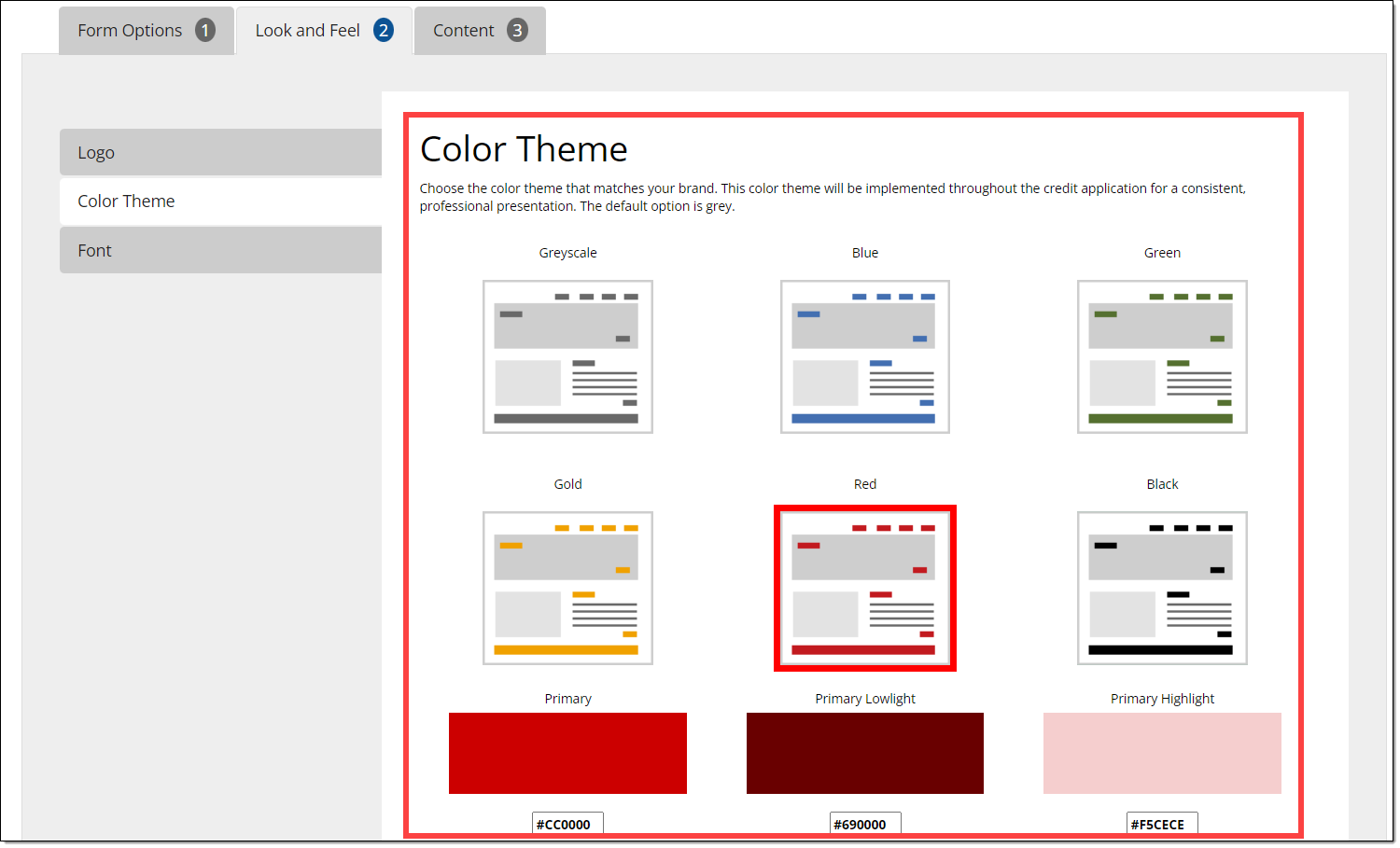
The color theme you select will be implemented throughout the Lead Capture Form for a consistent, professional presentation. The default color option is grey.
To select a color, click one of the thumbnails or add your customized colors by typing in the HEX color codes. Your selection will be highlighted with a border.
When entering HEX color codes, enter in a code for the ‘Primary’ color, the ‘Primary Lowlight’ color, and the ‘Primary Highlight’ color.
If you do not know the HEX color codes, you can use a HEX converter tool online to help populate the desired HEX color code.
Click one of the save options to apply your changes. Design elements, such as page buttons, will be updated to reflect the selected color.
Font
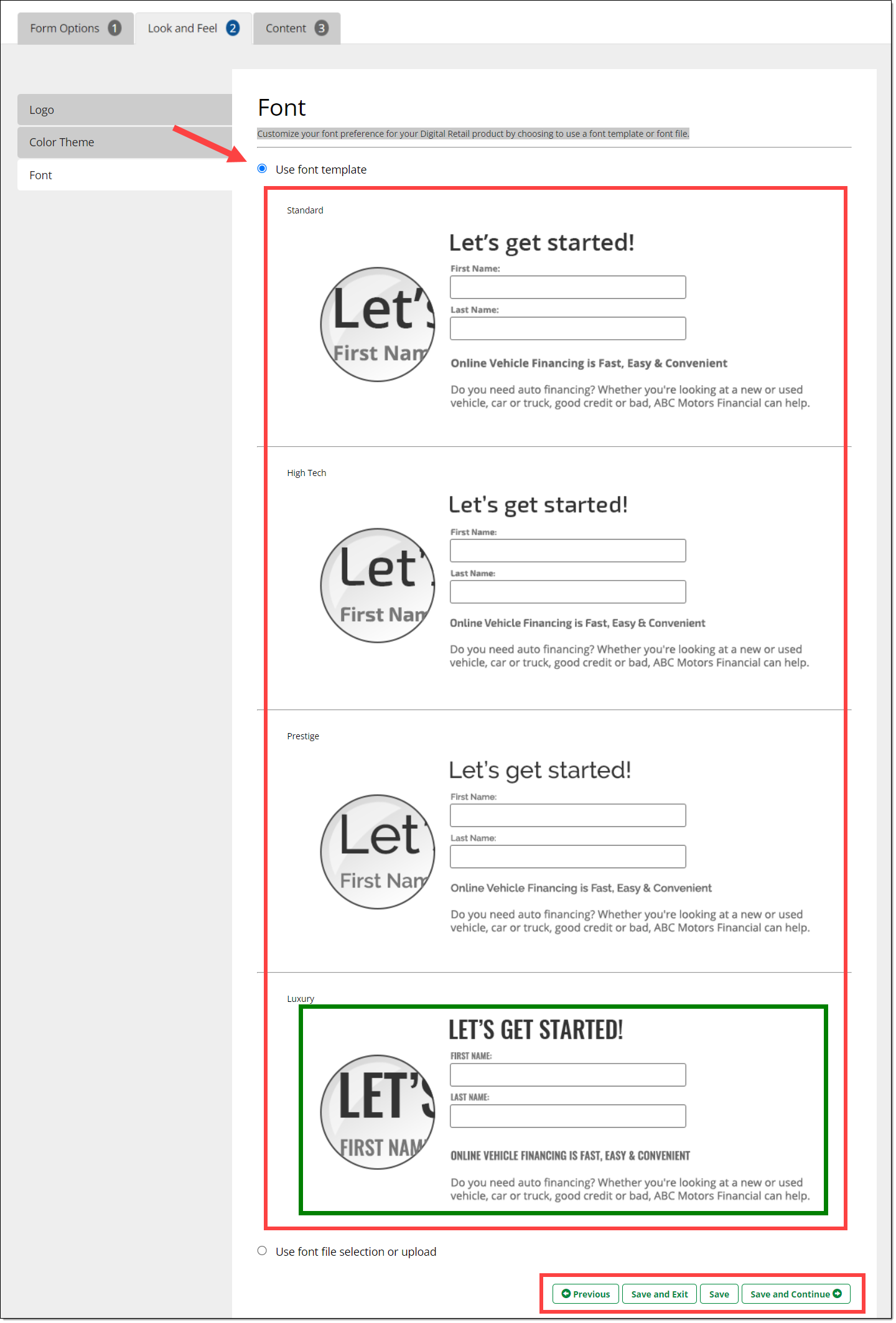
You can customize the font used throughout your Lead Capture Form to best match your website and brand.
The default setting is to select from the available font template options on the page. Click any of the font templates. Your selection will be highlighted in a green border.
Click one of the save options to apply your font selection. These changes will apply to all content on your Lead Capture Form.
Content
Contact Information
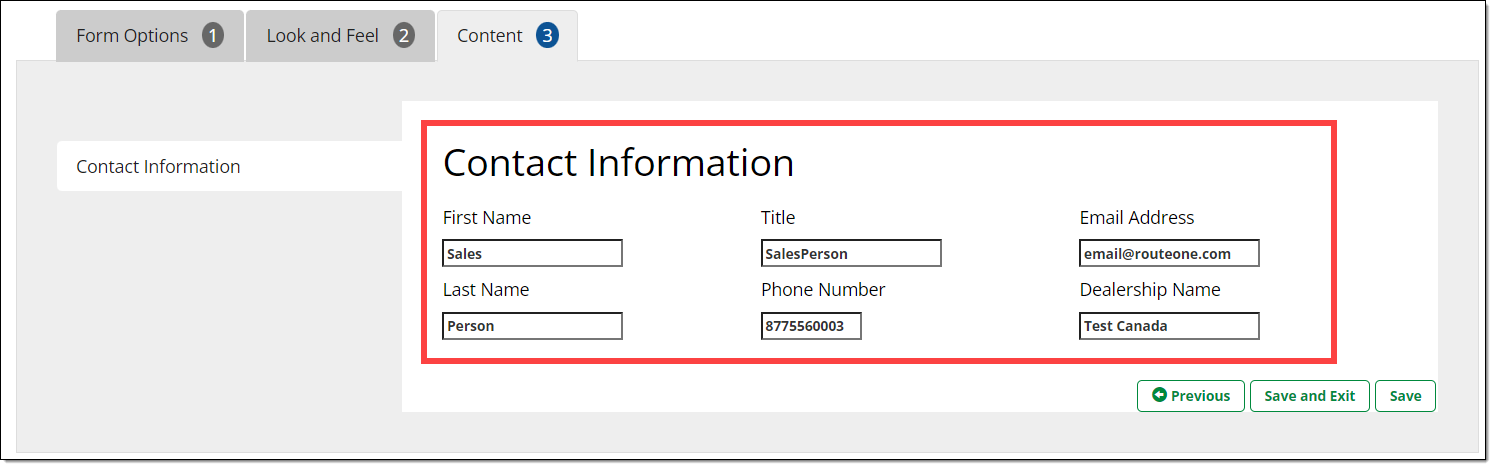
You can customize dealership contact information (first name, last name, title, phone number, email address, dealership name) that is displayed to the applicant once they submit the Lead Capture Form.
Ensure this information is kept up to date to provide accurate contact information to potential customers.
ROUTEONE SUPPORT
Hours (EST)
Monday - Friday: 8:00 AM - 9:00 PM
Saturday: 9:00 AM - 9:00 PM
Can’t find what you need?
Try our search
